What Actually Happens Under the Hood When You Prompt an AI Coding Agent

As a software engineer, I use AI coding agents daily: Claude, Cursor, and a few others. Like most people, I stopped thinking too hard about what they were doing at the network level and just focused on the output, until I started paying closer attention to what was actually happening behind the scenes.
That’s when I turned to an open-source tool called Greywall. It proxies your agent’s network traffic and surfaces every outbound request in real time. I had it scaffold a basic Express app, logged every outbound request, and watched what fired.
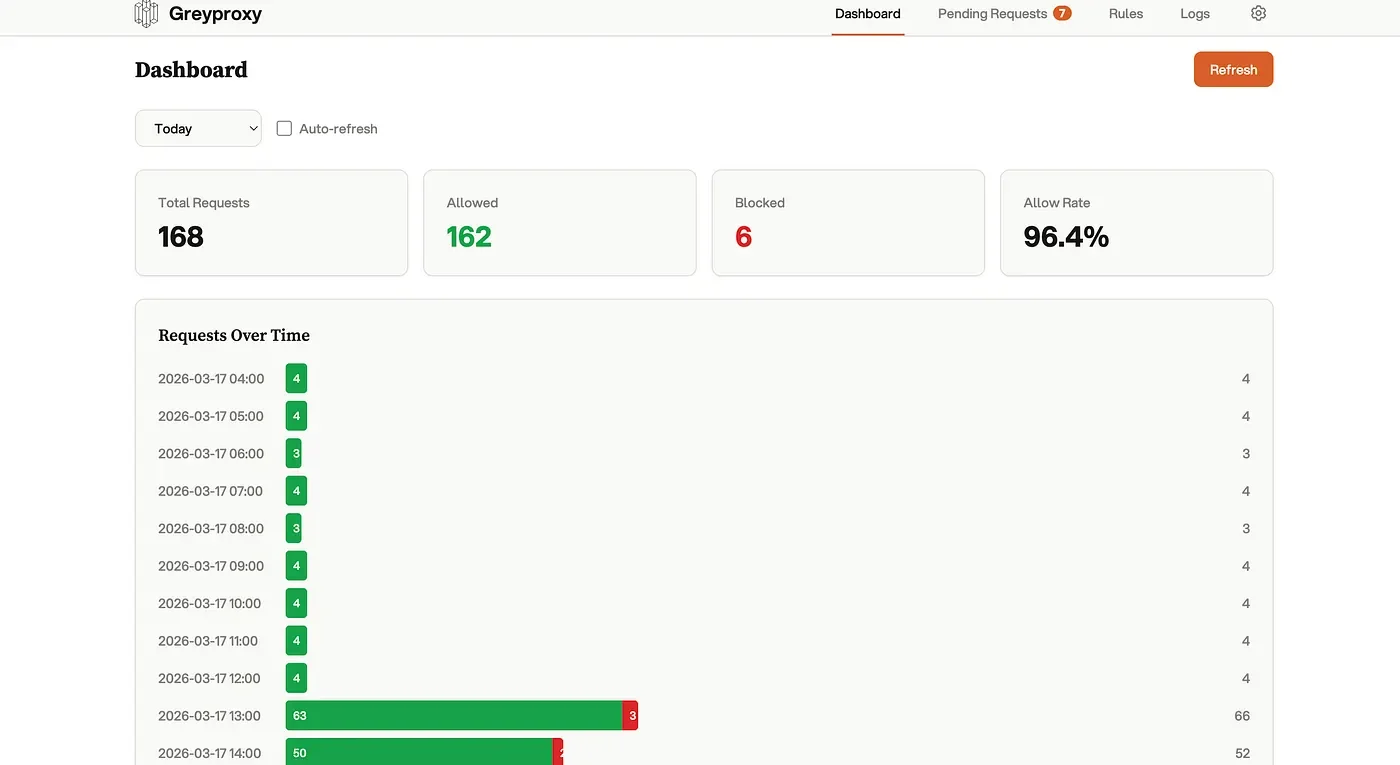
The volume was surprising. Even before executing any tasks, the agent had already made requests to multiple external endpoints, package registries, and API lookups, some of which I had to dig into to understand.
Greywall’s Request Dashboard — Full Visibility Into Every Outbound Call
What’s Actually Happening When You Send a Prompt
A prompt to an AI coding agent triggers more than just an inference call. Depending on the agent, the tools it has enabled, and the complexity of the task, you might see dependency resolution, documentation fetching, external API calls, and telemetry back to the provider. You can see what the agent is doing, but the network requests it makes along the way stay out of view.
What Greywall Does
Greywall sits outside the agent entirely, no SDK integration, no config changes to the agent itself. It works at the network layer.
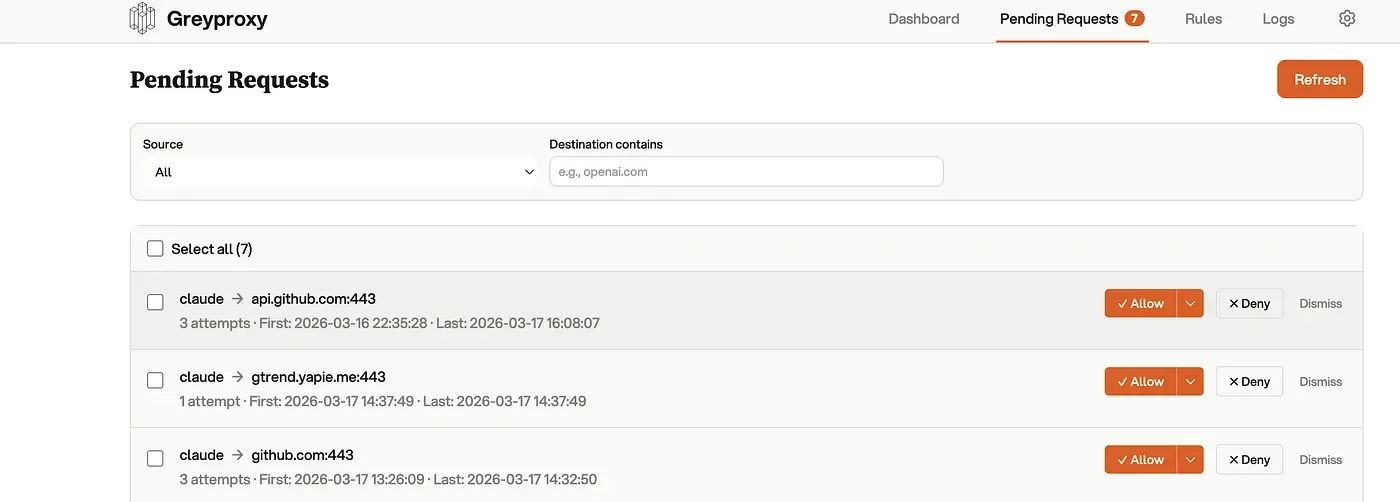
Live request dashboard. Every outbound call is logged and held for approval. The agent waits before proceeding.
It ships with pre-built profiles for Claude, Cursor, Codex, Goose and others so the common allow-list is handled out of the box.

Claude attempting outbound requests to GitHub, blocked by Greywall
Greywall’s Pending Requests dashboard: full visibility into every outbound call
Why a Network-Layer Tool Is Different
The major labs are building visibility features directly into their agents, logs, audit trails, approval flows. That’s useful.
But an external tool that intercepts at the network level gives you something those can’t: a view that’s completely independent of what the agent chooses to report about itself. No abstraction, no framing, just the raw requests.
If you want to see what your agent is actually doing, the setup takes under a minute.
You can try it here: https://github.com/GreyhavenHQ/greywall